
The Indian Worker’s Guide to Surviving Your First Year in the Gulf Without Falling Sick or Losing Wages
Your GAMCA medical report gets you cleared for the job. It won’t help much if a clinic abroad asks about your last surgery, or if a customs officer questions the tablets in your bag.
This guide covers the full set of records worth keeping, where to store them, and the mistakes that cost workers time and money. If you’re still at the testing stage, the GAMCA India homepage is a good starting point.
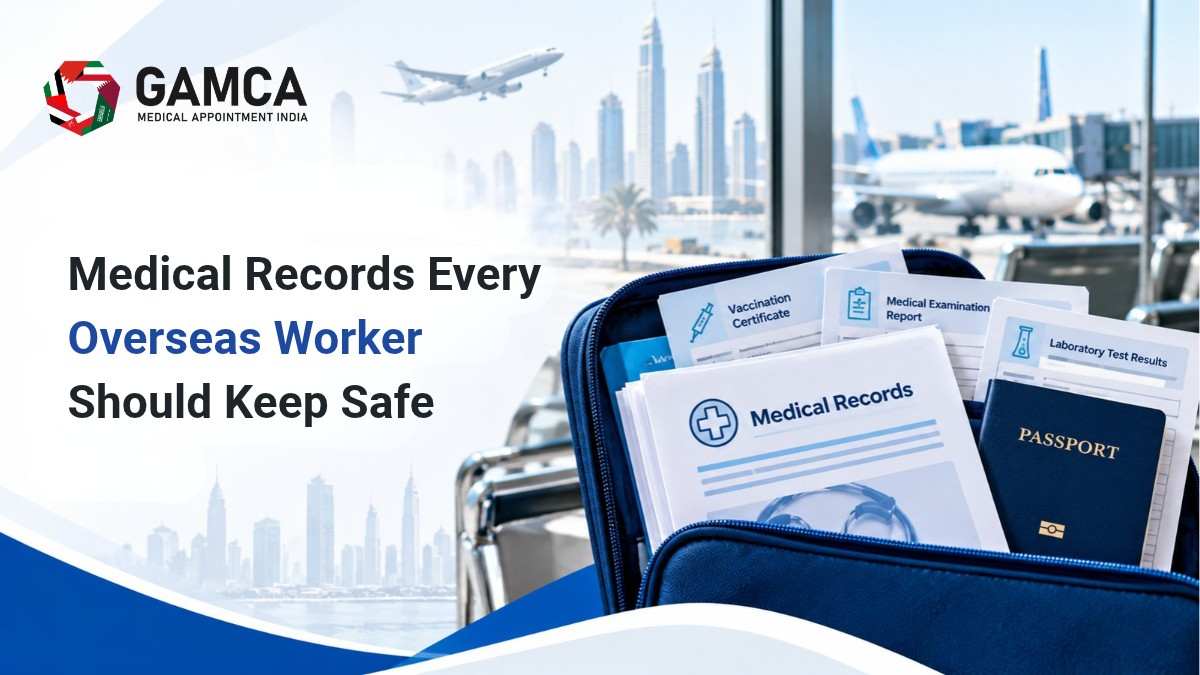
Quick Answer: What Medical Records Should an Overseas Worker Keep?
Keep your GAMCA medical report, passport copy, visa and job offer, prescriptions, vaccination records, past diagnosis summaries, emergency contacts, and insurance papers. Store one set in a labelled folder and one scanned copy in cloud storage. Most GAMCA reports stay valid for about 90 days, so keep dates visible.
Critical Requirements and Key Guidelines
You don’t need a hospital file as thick as a book. You need the right ten or twelve papers, in a form you can find in two minutes.
GAMCA medical report and slip. This is your proof of fitness. Keep the original safe, and note the test date and your GAMCA number on a separate sheet. Validity is short, so the date matters as much as the result.
Prescriptions. Carry current prescriptions in the doctor’s handwriting or printed, with the generic medicine name, not just the brand. Some medicines that are routine in India are restricted in Gulf countries, including certain painkillers and sleep or anxiety medication. Ask your doctor for a short letter and check the destination country’s rules before you pack.
Vaccination records. Childhood immunizations, hepatitis B, COVID-19, and yellow fever if you’ve travelled through an affected region. Photograph the card on both sides.
Previous diagnoses and surgeries. A one-page summary from your doctor is enough. Include the diagnosis, treatment, date, and hospital name.
Chronic condition notes. Diabetes, blood pressure, asthma, thyroid. If you have one, a recent test result and your regular dosage should travel with you.
Blood group proof. A lab slip is fine. Doctors abroad will ask in an emergency.
Emergency contacts. Write them down. Phones die, and numbers saved in a contact list are useless without the phone.
Insurance and employer documents. Policy number, insurer helpline, and the employer’s HR contact.
Losing the report is the mistake that causes the most panic. If it happens, read what to do if you lose your GAMCA medical report before you pay anyone for a replacement.
Document Checklist: What to Keep and Where
Document | Why it matters | Keep physical copy? | Keep digital copy? | Watch out for |
|---|---|---|---|---|
GAMCA medical report and slip | Proof of medical fitness for your visa | Yes, original | Yes | Short validity; note the expiry date |
Passport (photo page + visa page) | Identity link between all records | Yes | Yes | Name spelling must match the report |
Prescriptions + doctor’s letter | Explains your medicines to doctors and customs | Yes | Yes | Restricted medicines; keep original packaging |
Vaccination card | Proves immunisation status | Yes | Yes | Faded or handwritten cards: photograph early |
Past diagnosis / discharge summary | Saves repeat tests abroad | Yes, photocopy | Yes | Hospitals may not issue duplicates later |
Blood group slip | Emergency treatment | Yes | Yes | Use a lab-issued slip, not a verbal note |
Emergency contacts (India + abroad) | Quick help if you can’t use your phone | Yes, on paper | Yes | Include the Indian Mission number |
Insurance + employer papers | Claims and hospital admission | Yes | Yes | Policy number and helpline missing |
Employment contract / offer letter | Resolves disputes about duties and benefits | Yes | Yes | Keep the signed version, not a draft |
Step-by-Step: Build Your Medical Document Kit
Complete your medical and collect everything.
Start with the GAMCA test, since it produces the document that everything else depends on. You can book your GAMCA medical test appointment online and plan the rest of your paperwork around that date.
Common pitfall: leaving the centre without checking that your name, passport number and date of birth are correct on the slip. A one-letter error can delay processing.
Gather the supporting records from home.
Call your family doctor and ask for prescriptions, a diagnosis summary, and any old test reports. Do it before you leave your city.
Common pitfall: assuming you can get these later. Clinics rarely mail records overseas, and some won’t release them to relatives.
Scan or photograph every page.
Use a flat surface, good light, and your phone’s document-scan mode. Check that the text is readable when zoomed in.
Common pitfall: blurry photos with cut-off corners. A rejected scan is as useless as no scan.
Name your files clearly.
Use names like Ravi_GAMCA_Report_Oct2026.pdf, not IMG_4471.jpg. You’ll thank yourself at 2 a.m. in a hospital queue.
Common pitfall: a single “Documents” folder with fifty unnamed images.
Back up in two digital places.
Upload to cloud storage such as Google Drive, and email a zipped copy to yourself or a family member. A pen drive is a third option, kept apart from your bag.
Common pitfall: saving only on the phone you’re carrying. If it’s lost or stolen, so are your records.
Pack a physical set, split in two.
Put originals in your hand luggage in a clear folder. Keep a photocopy set in your checked bag.
Common pitfall: putting everything in the checked bag, which can be delayed or lost.
Share access with one trusted person.
A parent, spouse or sibling should know where the cloud folder is and how to open it.
Common pitfall: sharing your password through a casual chat message. Share the folder link instead, with view-only access.
Review every few months.
Add new prescriptions, new test results, and updated insurance. Delete expired items.
Common pitfall: treating the kit as finished once you land.
Digital vs Physical Backups
Do both. They fail in different ways.
Paper survives a dead battery, a locked phone, or a clinic with no internet. A hospital front desk will often photocopy a paper document in a minute. Digital copies survive fire, theft and loss, and you can pull them up from any country.
A simple rule works well: three copies, two formats, one stored away from you. That means the originals with you, a photocopy set in another bag, and a cloud folder that a family member can also open.
What Most People Get Wrong
They trust the agent to hold the originals. Agents handle many workers’ files. Keep your own copy of every page, even if you’ve handed over the originals.
They keep only the GAMCA report. It proves fitness. It says nothing about your medicines, allergies or past surgeries.
They ignore the validity window. If your visa is delayed past the report’s validity, you may need a fresh test. Write the date on a sticky note and put it on the folder.
They carry medicines without paperwork. A strip of tablets with no prescription can mean questions at the airport. Original packaging and a doctor’s note save an argument.
They save everything on one phone. Phones get lost more often than passports.
They leave emergency numbers inside the phone only. If you can’t unlock it, nobody can call home.
Frequently Asked Questions
Usually about 90 days from the date of the test, but this depends on the destination country and your employer’s process. Confirm the exact period with your agent or employer before you travel. If your visa timeline is uncertain, ask whether to delay the test.
Carry both. Keep the original GAMCA report and passport in hand luggage, and pack photocopies separately. Employers and visa offices often want originals, while clinics and insurers usually accept copies. Never hand over your only original without a receipt or a scan.
Your passport, passport-size photographs, and your visa or job-related details, as specified by the centre. The exact list can vary by country and centre, so check the documents required for a GAMCA medical test before you go. Bring your previous prescriptions too if you take regular medication.
No, a single phone photo isn’t enough. Photos can be blurry, lost with your phone, and awkward to print. Convert them into clear PDFs and store them in at least two places, such as cloud storage and an email to yourself.